
You can rank on page one and still be invisible in Google's AI Overview, and Search Console will not hand you a clean number for it. An AI Overview tracker closes that gap: it shows whether the AI answer in your category cites your brand, how often, and which competitors it names instead. The job has its own metrics, its own free-versus-paid tradeoff, a second surface most people forget (Google's AI Mode), and one technical check that explains most missing citations. Get those right and you can track your presence in AI Overviews instead of guessing at it.
What an AI Overview Tracker Actually Measures
An AI Overview tracker tells you whether your brand shows up in Google's AI Overviews for the queries you care about, how often, and who gets cited instead of you. It is a monitoring layer for one specific surface: the AI-generated answer box that now sits above the classic results. Tracking AI visibility across ChatGPT, Perplexity, and other engines is a broader job, and tracking your rank across all of them at once is its own discipline. This is the Google-AI-Overviews slice, with its own metrics.
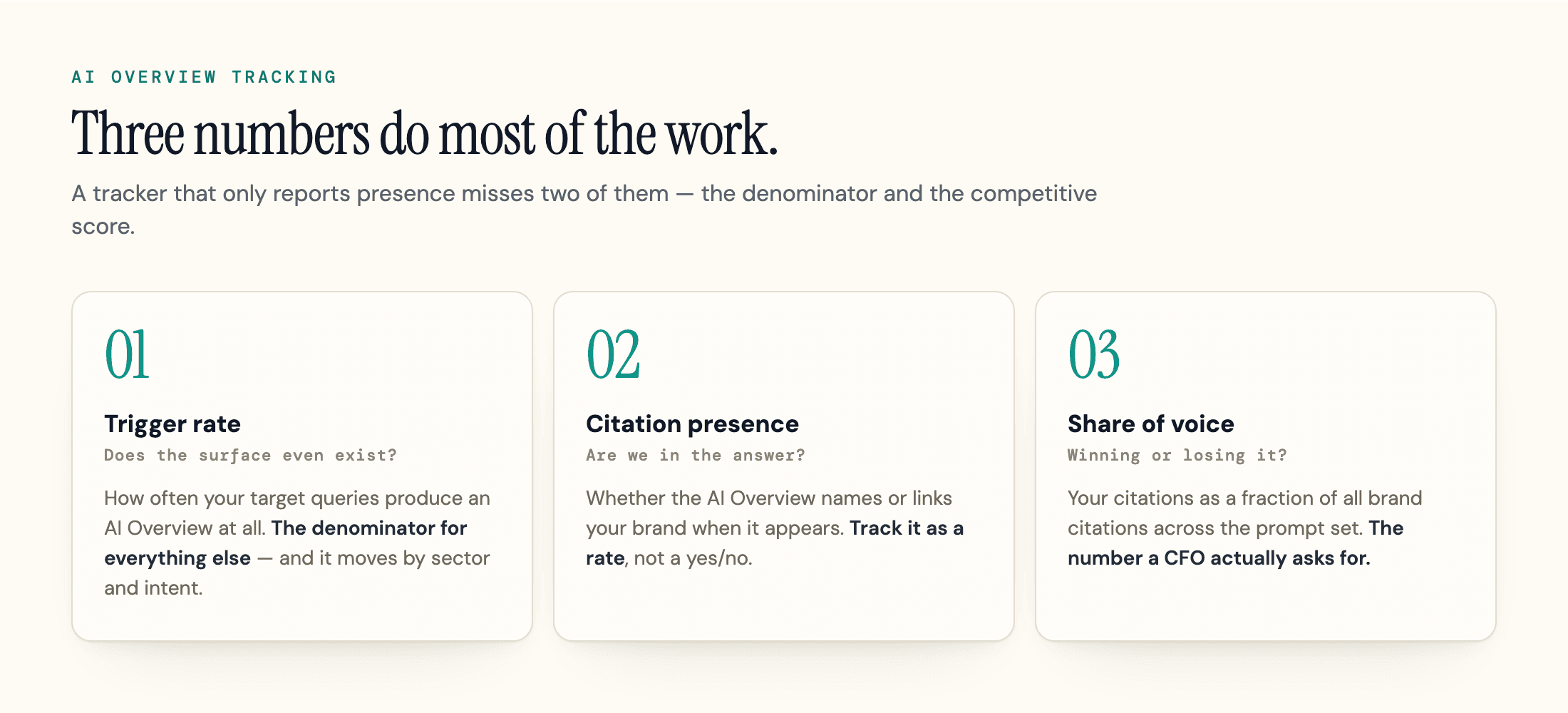
Three numbers do most of the work.
Trigger rate is how often your target queries produce an AI Overview at all. It is the denominator for everything else, and it moves: AI Overview coverage grew 58% in the year to February 2026, now appearing on close to half of tracked queries, with heavy variance by sector (healthcare queries trigger one around 88% of the time, restaurants closer to 78%). Intent matters as much as sector: informational queries trigger an AI Overview far more often than commercial or transactional ones, and long, question-shaped queries trigger them most of all. Your trigger rate in your category is the context for every other reading.
Citation presence is whether the AI Overview names or links your brand when it does appear. This is the metric people mean when they say "are we in the AI Overview." Track it as a rate (cited on X% of triggering queries), not a yes/no.
Competitor share of voice is your citations as a fraction of all brand citations across your prompt set. An AI Overview usually pulls from several sources at once, so the question is rarely "are we cited" but "what share of the answer is ours versus theirs." This is the number most teams struggle to report to a client or a CFO: how much of the AI answer in your category belongs to you.
A tracker that only reports presence misses the other two. Trigger rate tells you whether the surface even exists for your queries, and share of voice tells you whether you are winning or losing it.
Why Search Console Still Isn't an AI Overview Tracker
The answer to the question everyone asks first changed in 2026. Search Console used to be silent on AI Overviews entirely. Google's documentation still confirms that appearances in AI features are counted inside the standard Performance report, folded into the "Web" search type alongside ordinary results, with no checkbox to isolate them.
What changed is that in June 2026 Google added a separate Search Console report for its generative-AI surfaces, introduced on the Search Central blog on June 3, and fully rolled out to all websites worldwide as of August 31, 2026. It reports impressions for AI Overviews and the newer AI Mode (counted together, not split), broken down by pages, countries, devices, and dates, the same shape as a stripped-down Performance report. That is real progress, and it kills the blanket claim, still repeated by most tracker vendors, that "Search Console can't see AI Overviews." It can now, partly. Separately, and announced the same day, Google began testing an opt-out toggle that pulls a site from AI Overviews and AI Mode without touching its organic rankings; it began with a subset of UK site owners and completed its global rollout on August 31, 2026, alongside the report itself, and Google says the control is not a ranking signal for ordinary search.
The catch is what the report still does not give you: no clicks, no click-through rate, no position, and nothing about citation or competitor share. An impression there means a URL from your site appeared inside an AI surface, per Google's definition, so you can see that your pages showed up. You cannot see which answer they appeared in, what it said, who else was cited, or whether anyone clicked through. So the data is less hidden than it was a year ago, and still nowhere near a tracker.
The clicks are the harder problem, and they are the reason this matters. When someone reads your brand inside an AI Overview and visits later, the trip usually arrives with no referrer and lands in the "Direct" bucket in GA4. Presence in the answer rarely converts to a logged click at all: Pew Research found users clicked a traditional result on just 8% of searches with an AI summary, versus 15% without, and clicked a link inside the summary only 1% of the time. The commercial stakes show up in click-through rate: Seer Interactive measured organic click-through on AI Overview queries falling 61%, from 1.76% to 0.61%, between June 2024 and September 2025 across 25.1 million impressions, and Ahrefs' December 2025 re-run of its 300,000-keyword study put position-one click-through 58% lower when an AI Overview is present than when it is absent, up from the 34.5% gap it found in April 2025. The newest data adds a wrinkle worth knowing: Seer's 2026 update, published April 2026 and rebuilt on a larger dataset (53 brands, 2.43 billion impressions), shows CTR on those queries bottoming out at 1.3% in December 2025 and climbing back to 2.4% by February 2026, on a scale not directly comparable to the earlier 0.61% series, so read the shape rather than the levels. Seer frames it as a leveling out into a possible new normal, and the same study found a brand earns about 120% more organic clicks per impression on queries where it is cited in the AI Overview than where it is not, which is the click case for tracking citations at all.
Put together, the picture is blunt. Search Console will now confirm your pages appeared in an AI surface, but the specific answer, the competitor share, and the click, the part that decides whether the appearance helped you, are still what it blends away. Measuring that takes a method built for the surface.
Tracking Google AI Mode (It's Not the Same as AI Overviews)
Here is the distinction most tracking setups miss: the AI Overview and Google's AI Mode are two different surfaces, and tracking one does not track the other. The AI Overview is the answer box stitched onto a normal results page. AI Mode is a separate, full-page conversational experience, powered by Gemini, where a search becomes a back-and-forth and a single question fans out into many.
That difference changes what you measure. AI Mode answers run roughly four times longer and lean on a different mix of sources, so winning one surface does not mean winning the other: Ahrefs compared the two across hundreds of thousands of paired responses and found the cited sources overlap just 13.7% of the time for the same query, even though the two answers usually agree on what to say. A brand that owns the AI Overview can be absent from the AI Mode response to the same starting question, and the reverse happens too. Search Console's new report does count AI Mode impressions, but lumped in with AI Overviews rather than broken out, so even there you cannot isolate it.
AI Mode is no longer a niche experiment: Google announced at I/O in May 2026 that it had passed one billion monthly users a year after launch, with queries more than doubling every quarter. For most brands it is still the smaller surface next to the overview box, so it does not need daily attention yet. What it needs is to be tracked as a distinct thing rather than folded into your AI Overview numbers. If you only watch the overview box, you are blind to a fast-growing surface that cites a different mix of sources. Treat it as a second prompt set: the same target questions, logged separately, so you can see which surface you are winning and which you are losing.
The Free Ways to Track AI Overviews (and Their Limits in 2026)
You can track AI Overviews by hand, and for a small query set you should start there before paying for anything. The method is the same disciplined spreadsheet approach behind any free AI visibility tracking routine, narrowed to one surface, in four steps:
- Pick 10 to 20 queries a real customer would type, the kind that should surface your category.
- Run each in a logged-out or incognito session, because a signed-in account personalizes the result and biases it toward brands you already visit.
- Log three things per query: whether an AI Overview appeared, whether your brand was cited in it, and which competitors were.
- Repeat on a fixed schedule and watch the trend, not the single reading.
Two free shortcuts get you a little further. In Search Console's query report, you still cannot isolate AI Overview rows, but you can filter your queries to the ones most likely to trigger one: AI-Overview-triggering keywords are overwhelmingly informational, and longer, question-shaped queries trigger them most, so a regex like ^(?:\S+\s+){5,}\S+$ (six or more words) surfaces your AI-Overview-prone queries as a rough proxy. In GA4, a custom channel grouping with a source regex such as google.*ai|chatgpt|perplexity|gemini|copilot carves out AI-referral traffic. Both are useful, and both have the same hard limit: neither isolates Google AI Overview clicks, which still arrive as plain google / organic. They proxy the exposure; they do not measure the citation.
That last point is where free tracking gets hard. AI Overviews are non-deterministic and personalized: the same query on two days, or from two locations, can return a different set of cited sources. A one-off manual check tells you almost nothing. You need repetition and a stable testing setup, which is exactly the part that does not scale by hand. DIY methods built on tagging link parameters or scraping the answer box also tend to break whenever Google adjusts the layout, and several widely shared techniques stopped working through 2025 and 2026.
So the honest free ceiling is this: a manual log of a couple of dozen queries, re-run monthly, with the regex filters as a supporting signal, is enough to spot a real trend and catch a competitor pulling ahead. Past that, the volatility and the volume push most teams toward a dedicated tracker.
The Best AI Overview Trackers, Compared
Paid trackers buy you scale and consistency: hundreds of prompts, automated re-runs, AI Mode coverage, and competitor share of voice without a manual sheet. They do not buy you ground truth, because none of them see real user prompts either. Every tool samples controlled questions on a schedule and infers your standing, so treat the score as a modeled estimate, not a meter reading.
It helps to know how they work before you compare them. A tracker runs your queries through a search environment, detects whether an AI Overview rendered, extracts the cited sources and links, and stores a timestamped snapshot so you can prove what the answer said on a given day. Two things separate a good one from a noisy one. The first is false positives: weaker tools mistake a Featured Snippet or a "People Also Ask" box for an AI Overview, inflating your trigger rate. The second is volatility: Ahrefs found an AI Overview changes roughly every two days, with only about half its cited sources (54.5%) carrying over from one run to the next, even though the underlying answer stays stable.
So a tool that checks once and a tool that samples repeatedly will report different citation rates for the same query. Favor trackers that show timestamped snapshots and sample more than once.
Pricing is the first thing teams ask about, and the range is wide, from free tiers up through several hundred dollars a month for enterprise. The table below groups the main options by what they do for the AI Overview and AI Mode surfaces specifically. For the full field, including content optimizers and budget picks, our rundown of generative engine optimization tools compares them in depth.
| Tool | AI Overview tracking | AI Mode | Engines beyond AIO | Free tier | Reported entry price | Best for |
|---|---|---|---|---|---|---|
| Profound | Answer-engine analytics and citation tracking, enterprise-led | Yes | Multi-engine | Trial | No public pricing; free trial tier, Enterprise on quote | Large teams and agencies with an analyst |
| Otterly.AI | Prompt-level monitoring of AI Overviews and engine mentions | Paid add-on ($9/mo on Lite) | Multi-engine | Trial | $29/mo Lite, $25/mo billed annually | Small teams on a budget |
| Peec AI | Multi-engine visibility and share-of-voice tracking | Partial | Multi-engine | Trial | €85/mo Starter (monthly; -15% billed annually, i.e. €72.25/mo) | Affordable depth, unlimited seats |
| SE Ranking | AI Overview tracking inside a classic SEO suite | Partial | Multi-engine | Trial | Base plan + AI add-on, billed annually: €87.20 + €63.20 = €150.40/mo (€188/mo billed monthly) | SEO teams wanting it in one dashboard |
| Semrush AI Toolkit | AI visibility add-on to the Semrush platform | Partial | Multi-engine | No | $99/mo add-on (1 domain, 25 prompts); also bundled in Semrush One | Existing Semrush users |
| Nightwatch | AI Overview and AI Mode tracking inside a rank-tracking suite | Yes | Multi-engine (AI Overview, AI Mode, ChatGPT, Claude, Gemini, Perplexity) | Trial | From €79/mo | Rank-tracking-first teams, EUR-native budget |
| Keyword.com | AI Overview tracking inside a rank-tracking suite | No | Classic rank tracking + AI Overview | Trial | From $4/mo | Teams wanting the cheapest entry point |
| AthenaHQ | Enterprise answer-engine analytics | Yes | Multi-engine | Yes (Essential, free) | Starter $295/mo, Enterprise custom | Large orgs needing governance |
| geotoolbox | Citation + share-of-voice scan, plus a reachability and render check on the page itself | No (AIO only; see the AI Mode section above) | 3 engines on Starter (ChatGPT, Perplexity, Google AIO); up to 8 by tier | Free tools + 7-day trial | From $99/mo ($79.20/mo billed annually), 7-day free trial | Teams that want to know why they are missing, not just that they are |
Capabilities and pricing in this category change month to month, and reported figures disagree across sources, so verify on the vendor's own page before you buy. The one feature that separates the list is not in most columns: whether the tool also checks that the crawlers behind AI search can actually reach and read your page. We built geotoolbox's free AI-Readiness Score around that gap, because in our testing the most common reason a brand is absent from an AI Overview is not weak content, it is a page the crawler never fully fetched. That is the blind spot every pure tracker shares.
The Blind Spot Every Tracker Misses: Can Google's AI Even Reach Your Page?
A tracker tells you that you are not cited. It cannot tell you why. And the most common why is mechanical: Google could not fully fetch and read the page it would have cited.
This follows from how the feature works. AI Overviews are grounded in Google's existing Search index, not a separate AI database. Google describes a query fan-out that issues multiple related searches and pulls supporting pages from the index to build the answer. So the prerequisite for being cited is the same as ranking: the page has to be crawled by Googlebot, indexed, and rendered. If any link in that chain breaks, you are invisible to the AI Overview no matter how good the content is, and the tracker just shows a blank.
Two failure modes cause most of it. The first is rendering. If your key content only appears after JavaScript the crawler does not execute, Googlebot can index a near-empty page, leaving nothing for the model to ground on. The second is access: a firewall or bot-management rule that silently returns a 403 or a challenge to non-browser traffic, blocking the crawler while every human visitor sees a normal page. You will not find either in a citation report.
Here is the trap people walk into trying to fix this. They block Google-Extended, assuming it controls AI Overviews, and it does not. Google states plainly that Google-Extended governs Gemini training and grounding and does not impact a site's inclusion in Google Search. AI Overviews are part of Search and rely on the regular Googlebot crawl. Block the wrong agent and you have changed nothing about your AI Overview presence while convincing yourself you acted.
If you rank on page one but never appear in the AI Overview, run a reachability and render check before you touch the content. Our AI search playbook covers the fixes.
How Often to Track, and What to Alert On
Cadence matters more than precision here. Because the surface is volatile, a single reading is a coin flip, but a steady weekly series is a reliable signal. Weekly is the right baseline for most brands. Move to daily only for your highest-value, most contested queries, where a competitor displacing you costs real revenue and a week's lag is too slow to act on.
The mistake is tracking the wrong event. Most teams alert on presence, "tell me when we appear." The more useful alert is the inverse: tell me when we drop out, and when a competitor takes the citation we held. Losing a citation you already had is the event worth interrupting someone's day for, because it is recent, specific, and usually fixable. Gaining one is nice to know on a weekly report.
So set two thresholds. The first is your own citation rate trending down across the prompt set, which points at a content or reachability change on your side. The second is a named competitor's share of voice trending up on the same queries, which points at theirs. Watched together, they turn a noisy daily feed into two questions you can act on: did we break something, or did they ship something.
For agencies, this is also the reporting frame clients accept: a tracked share of voice over time, with a clear note whenever it moves and why.
From Tracking to Improving Your AI Overview Presence
Tracking is the diagnosis, not the cure. Once you can see your citation rate and share of voice, the next question is how to move them, and that is a different job with its own playbook.
The short version: confirm the page is reachable and rendered first (the cheapest fix, as covered above). Then make the content easy to extract, with a direct answer near the top, clear claims, and the kind of specific, sourced detail models prefer to quote. Our guide to getting cited in Google AI Overviews covers the on-page work in full, and the broader generative engine optimization picture explains how engines choose sources in the first place.
The point of a tracker is to tell you which of those levers to pull and whether pulling it worked. Measure, change one thing, watch the trend, repeat. That loop is the whole discipline.
Frequently Asked Questions
Can Search Console track AI Overviews now?
Partly. The 2026 generative-AI report shows impressions only, counts AI Overviews and AI Mode together, and is now available to all sites worldwide (completed August 31, 2026); if you do not see data, it is because your site has not received enough impressions in AI surfaces, not because of a staged rollout. For citation and competitor data you still need prompt-level tracking.
Can you track AI Overviews for free?
Yes, by hand, with one tip most guides skip: use a separate browser profile per location you care about, because AI Overviews vary by locale and a single-location log can miss what customers in another market see. The regex and GA4 proxies help, but they never isolate AI Overview clicks.
How do I track Google AI Mode?
Keep one shared prompt set and log the two surfaces in separate columns. That way the citation overlap (about 14% per Ahrefs) becomes visible in your own data, and you can see which queries you win in the overview box but lose in the conversational surface, which is where the fixes differ.
Why do I rank number one but not get cited in the AI Overview?
After ruling out rendering and firewall blocks, look at what the AI Overview actually cites for that query: it often pulls deep informational pages rather than the top-ranking commercial page. The fix can be publishing an extractable supporting page on the question, not editing the page that ranks.
Where to Start
Pick the ten queries where appearing in an AI Overview would matter most, run them in a clean session, and log whether you are cited and who is cited instead. Re-run on a schedule, track AI Mode as its own set, and watch the trend in your share of voice. That alone puts you ahead of most teams.
Then rule out the silent failure, because it is the one no citation report will explain. If Google cannot fully crawl and render your page, you are absent from the AI Overview for a reason no amount of content work will fix. The free AI-Readiness Score from geotoolbox checks the crawler-access foundations in seconds, and the Content Analyzer grades how citable the page is once they hold. Run those before you read too much into a low citation rate, then build your tracking from a page you know the AI can actually see.
Sources
- Google AI Overviews Surges Across 9 Industries - Search Engine Journal, 2026 (data: BrightEdge) -
searchenginejournal.com/google-ai-overviews-surges-across-9-industries/568448 - AIO Impact on Google CTR: September 2025 Update - Seer Interactive, November 2025 -
seerinteractive.com/insights/aio-impact-on-google-ctr-september-2025-update - AIO Impact on Google CTR: 2026 Update - Seer Interactive, April 2026 (CTR leveling out at 2.4% by Feb 2026; +120% clicks per impression when cited) -
seerinteractive.com/insights/aio-impact-on-google-ctr-2026-update - Update: AI Overviews Reduce Clicks by 58% - Ahrefs, February 2026 (Dec 2023 vs Dec 2025, 300K keywords) -
ahrefs.com/blog/ai-overviews-reduce-clicks-update - Google Search's I/O 2026 updates - Google, May 2026 (AI Mode past one billion monthly users) -
blog.google/products-and-platforms/products/search/search-io-2026 - Introducing Search Generative AI performance reports in Search Console - Google Search Central, June 2026 -
developers.google.com/search/blog/2026/06/gen-ai-performance-reports - AI features and your website - Google Search Central -
developers.google.com/search/docs/appearance/ai-features - Are AI Mode and AI Overviews Just Different Versions of the Same Answer? (730K Responses Studied) - Ahrefs, 2025 (13.7% citation overlap between the two surfaces) -
ahrefs.com/blog/ai-overviews-vs-ai-mode - AI Overviews Change Every 2 Days (But Never Change Their Mind) - Ahrefs, 2025 (run-to-run citation volatility) -
ahrefs.com/blog/ai-overview-change - Google common crawlers (Google-Extended) - Google Search Central -
developers.google.com/crawling/docs/crawlers-fetchers/google-common-crawlers - Google users are less likely to click when an AI summary appears - Pew Research Center study, reported by Search Engine Land, 2025 -
searchengineland.com/google-ai-overviews-hurting-clicks-study-459434